
Projects and chats
The list of projects and sessions is assembled from Claude Code's transcripts. An open session is loaded page by page — the files can be tens of megabytes, and nobody reads them whole.
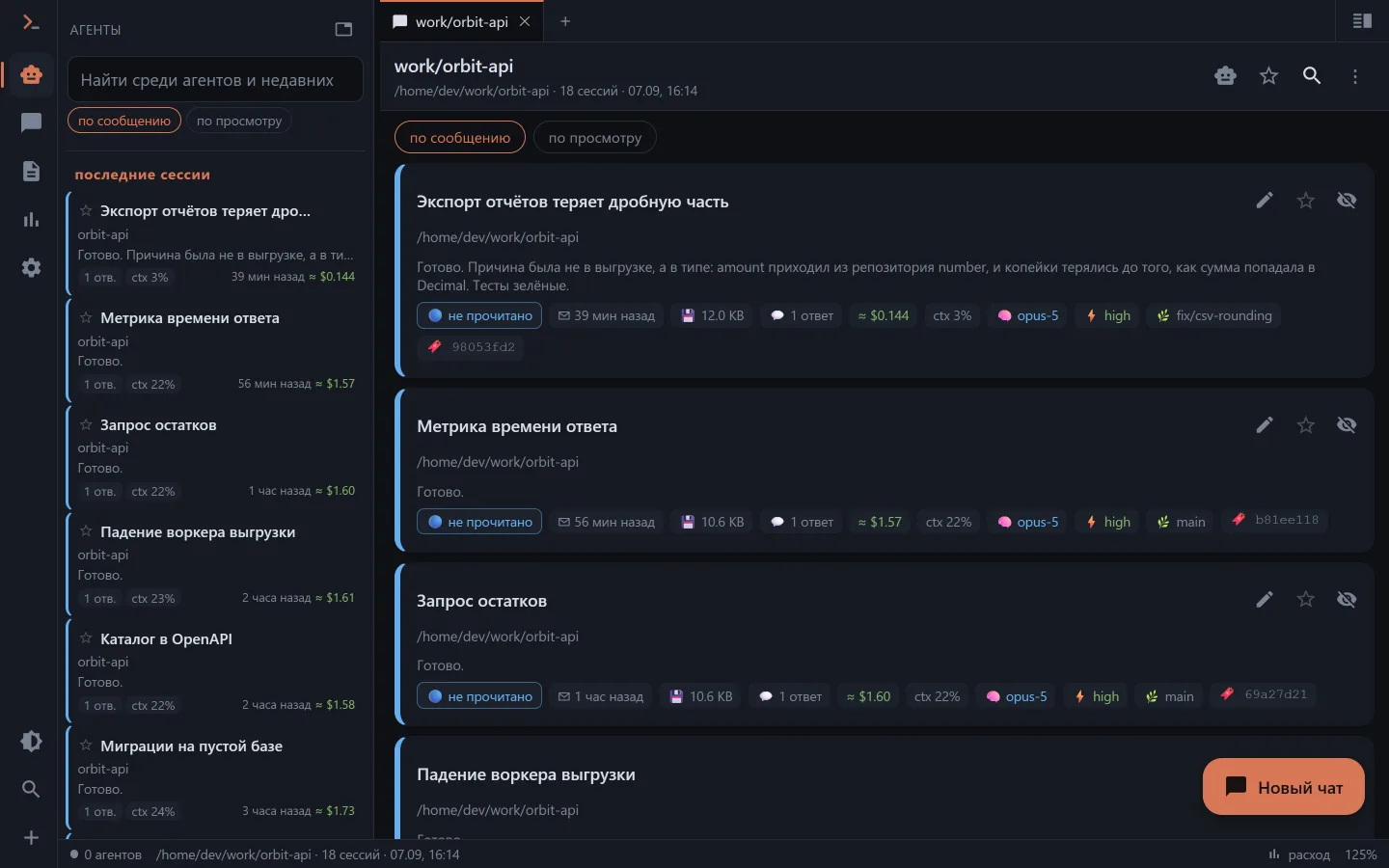
Projects follow working directories
A project in Clauder is not a folder inside ~/.claude but a working directory. A session started in /var/www that went on to work in /var/www/sw3 is visible in both projects: every cwd in the transcript is reduced to the repository root.
That gives a pleasant side effect: one and the same folder worked in from both sides of WSL and Windows shows up as a single entry with a shared chat list.
The session feed
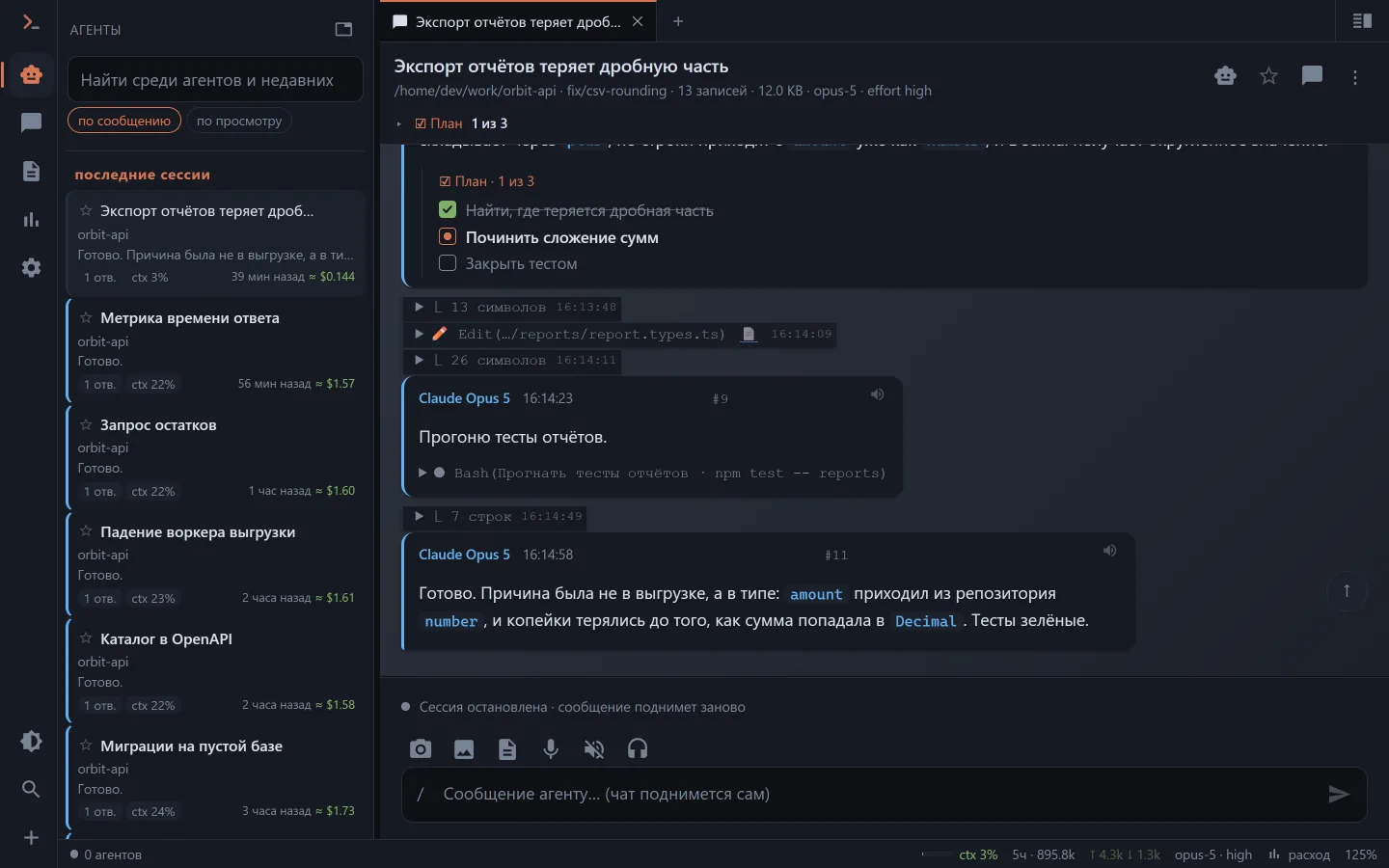
Two modes. The collapsed one mirrors the CLI console: one line per event (⏺ Read(…/types.ts) → ⎿ 42 lines), a click opens the details. The debug one (switched on in the settings) shows everything, including service records and the innards of calls.
Quiet mode (a switch under "⋮" in the chat) hides everything that isn't conversation behind one line: what is left of the agent are messages and questions, while thinking, reads, commands and their output fold into "⋯ 9 actions · 5 thoughts". A tap unfolds the batch in place, nothing is lost — and a reply dozens of lines long stops drowning the conversation.
A time on every action and day separators — "Today", "Yesterday", "1 August", as in messengers. You can see when a call ran and how long it took.
The model's thinking is visible in Clauder's own chats too: the SDK is asked for a summary, so "💭 thinking" doesn't unfold into emptiness.
The agent's plan (TodoWrite, TaskCreate/TaskUpdate) is drawn as a checklist and pinned to the header as "☑ Plan · 2 of 7".
A loaded skill becomes a card. After a Skill call the instructions from SKILL.md arrive as a separate record and, unfolded, take up half the feed: so it is a "🧩 skill · <name>" line with the body behind a toggle.
Live command output. While Bash runs, what the command is printing right now is visible under the call's arguments; a background task gets a full-height screen of its own for that.
Subagents
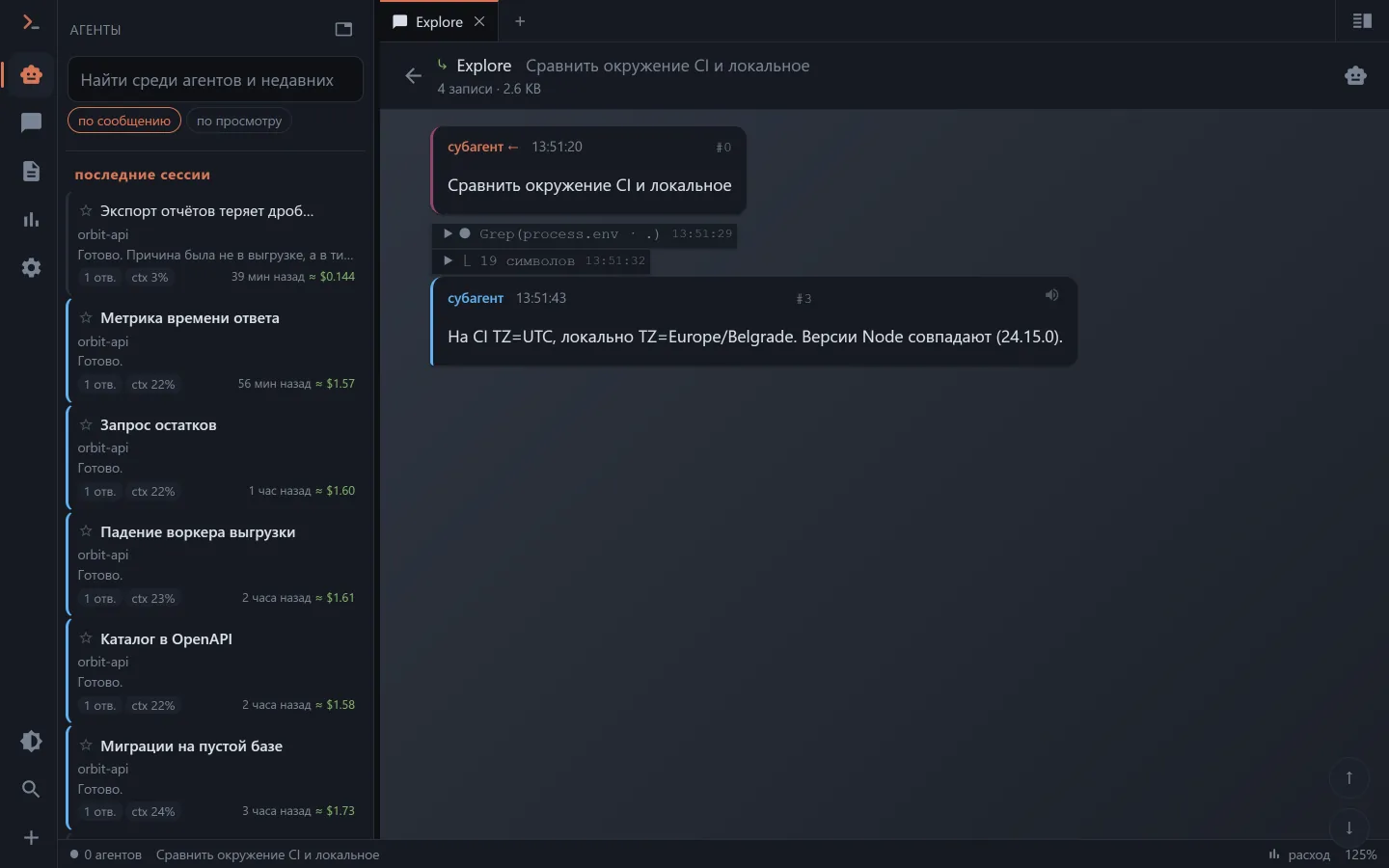
The CLI writes a subagent's work into separate files next to the transcript. A record with a Task call gets a "⤷ type · N records" link that opens the subagent's feed as its own screen.
Your own titles, favourites, order
A title from the transcript isn't always telling — a chat and a project can be renamed, starred to the top of the list or hidden.
A chat's name is shared with Claude Code: one renamed in the CLI reads the same in the clients, and a rename from Clauder goes into the transcript as an Agent SDK record and is visible in the terminal.
The chat list is sorted by the last message or by the last time you looked — like recent documents. A live session's transcript grows every couple of seconds and reshuffles the list under your hands, so the second order is sometimes more comfortable.
Read and unread. A session that grew while you weren't looking is highlighted and labelled. The mark lives on the server: what was read on the phone doesn't glow in the browser.
Search
Search covers chat titles and the text of the conversation — across every project and source at once. The result card shows where the match was.
How updates arrive
Two ways at once: a file watcher and polling of the file's tail (1.5 s during an active reply, otherwise 5 s). The polling is deliberately not switchable — watcher events get lost on network mounts, and without it an open feed would sometimes simply freeze.
What next
- Chat with the agent — how to continue a session and run a new one.
- Who's working now — the screen of live chats, subagents and background tasks.
- Spend and limits — how much has been spent and what is left of the plan.