
Web UI and PWA
The main client: Nuxt in SPA mode, and the same thing as an app on your home screen.
It installs as an app
The manifest, the icons and the service worker are in place: on an iPhone the page opens from the home screen as a separate app, and the same on Android. The web interface's address is shown by the "This connection" card in the settings, with an "Open in browser" button next to it.
Notifications
Web Push, and it needs https (or localhost) — without a secure context the browser gives out neither a service worker nor PushManager. Over plain http on a local network there will be no browser notifications; they do exist in the app, on Android and in the bot.
The simplest way to get https is a one-click tunnel.
Tabs and a second window
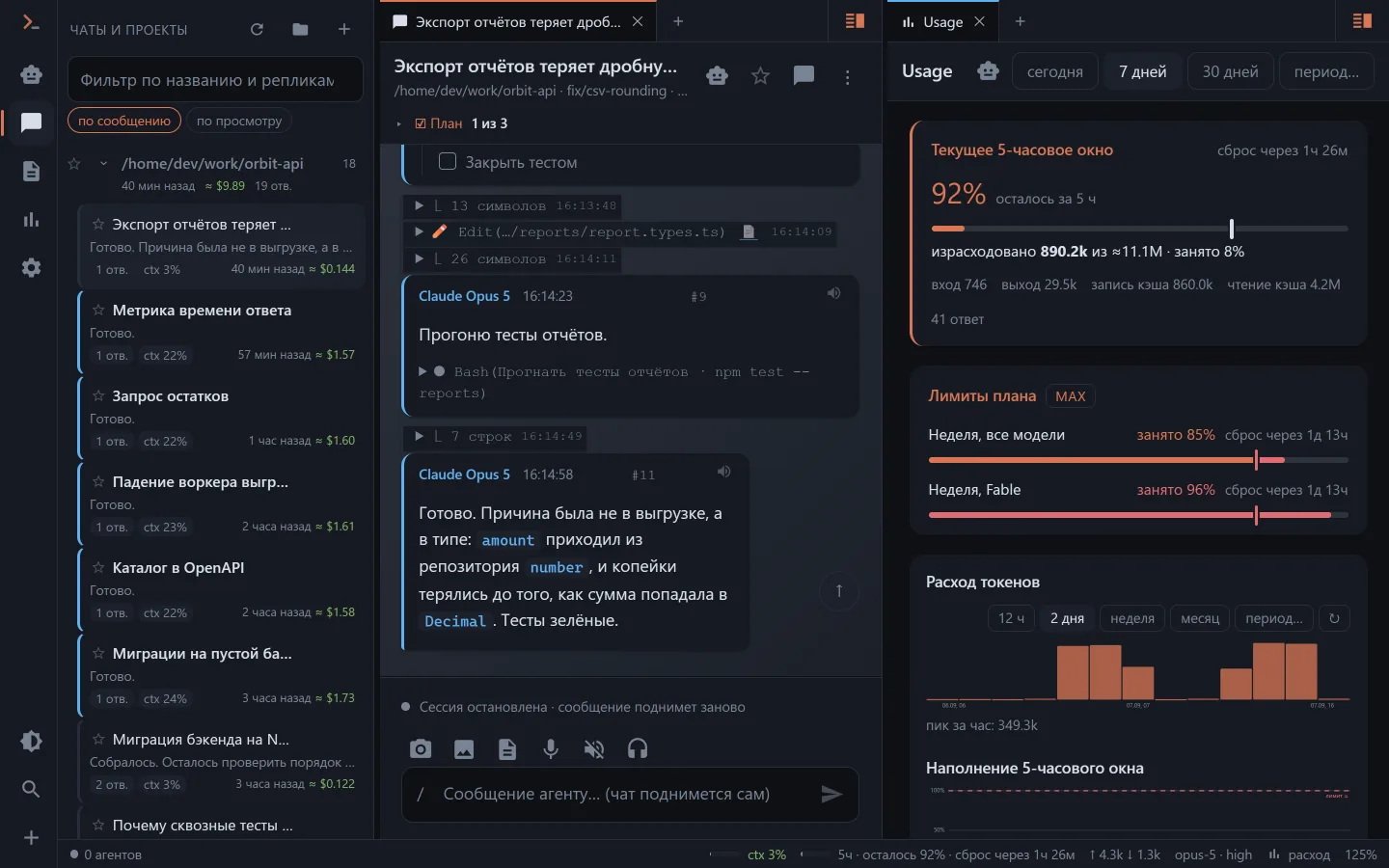
On a wide screen the web UI lays itself out in tabs and panels: the chat feed on the left, spend or files on the right. The layout is remembered.
In a browser you open tabs yourself; "open separately" by the ↗ icon or a middle click exists in the app and in the VS Code panel, where there is somewhere to open them.
Theme and scale
The theme (dark, light, system), the interface scale and the feed mode live on the "Appearance" tab. The values are remembered in the browser rather than on the server — which is why a new device is offered to take them from the server on its first connection.