
First run
The access key
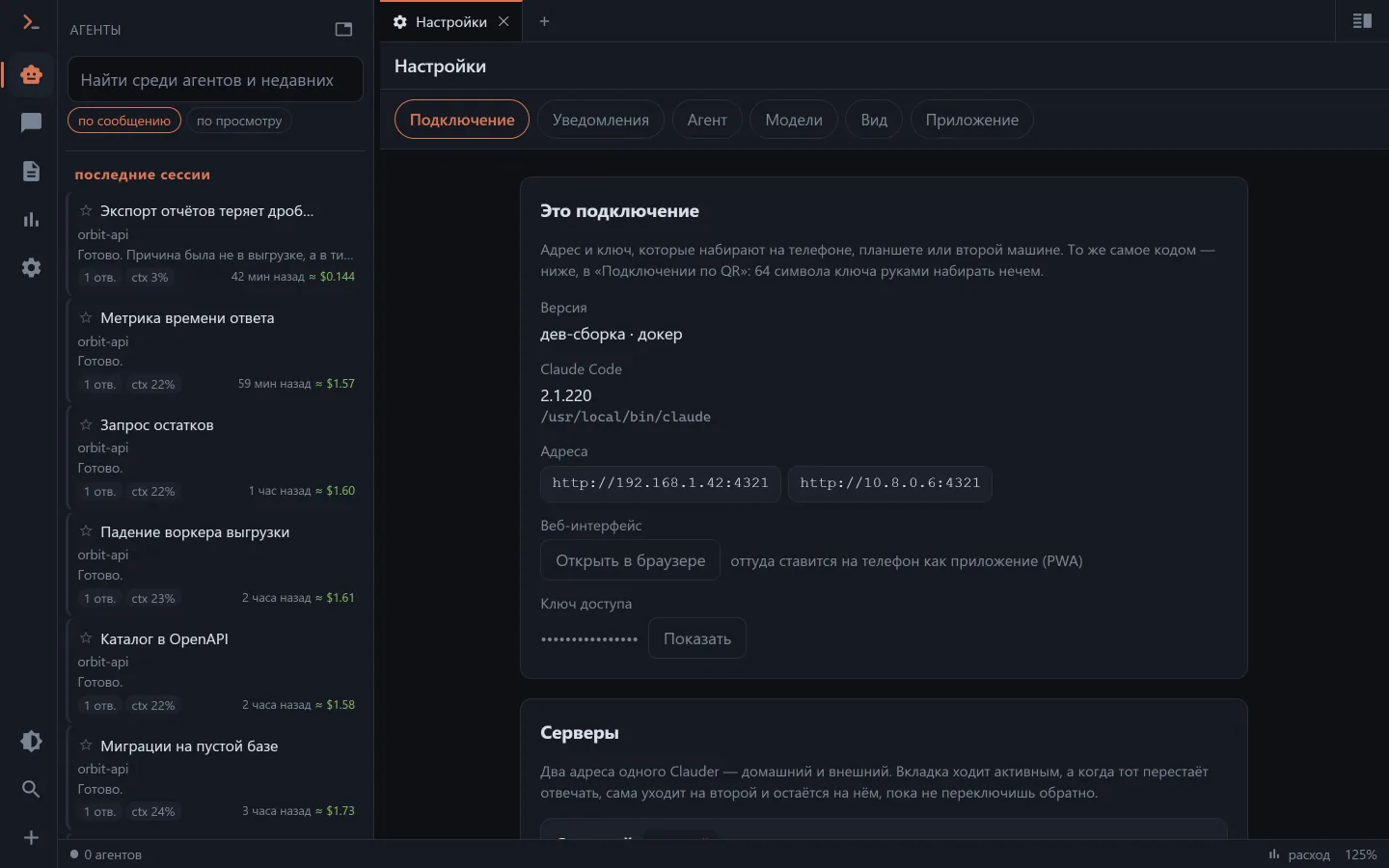
The only way into Clauder is a key. There is no login-and-password at all.
- In the app the key is created on the first run and lives in
config.json. To see it:clauder --print-configor the "This connection" card in the settings. - In docker the key comes from
API_KEYin.env— you set it yourself.
A key shorter than eight characters counts as switched off: that is deliberate, so that an "empty password" can't happen by accident.
Where the app keeps its settings: in a clauder-data folder next to the executable if it can write there (so it travels on a flash drive as a whole, favourites and titles included), otherwise in %APPDATA%\Clauder, ~/Library/Application Support/Clauder, ~/.config/clauder.
On your own machine the key isn't asked for — a connection over the loopback counts as yours.
Moving the address to the phone
There is no sane way to type a 64-character key on a phone, so the address and the key travel by QR code: the settings show the code, and the connection screen of a new client scans it.
Moved to another address — joined a VPN, changed the port — and the code is rebuilt; old devices pick up the new address with the same scan.
Extra keys
The app window can issue named keys — one per device, revocable, without restarting the server. Such a key can have a scope: your own projects and "read only".
The first chat
The "💬 New chat" button starts with the question "Where to run it" — the server, a folder on your own disk through the browser, or a connected worker (on Android the same line picks the machine, down to the phone itself). Then come the three usual things: the directory, the model and the effort level. The directory is taken from the recent list or picked from the tree; the "+ New project" button does the same but starts with choosing a folder that has no sessions yet, and can create one.
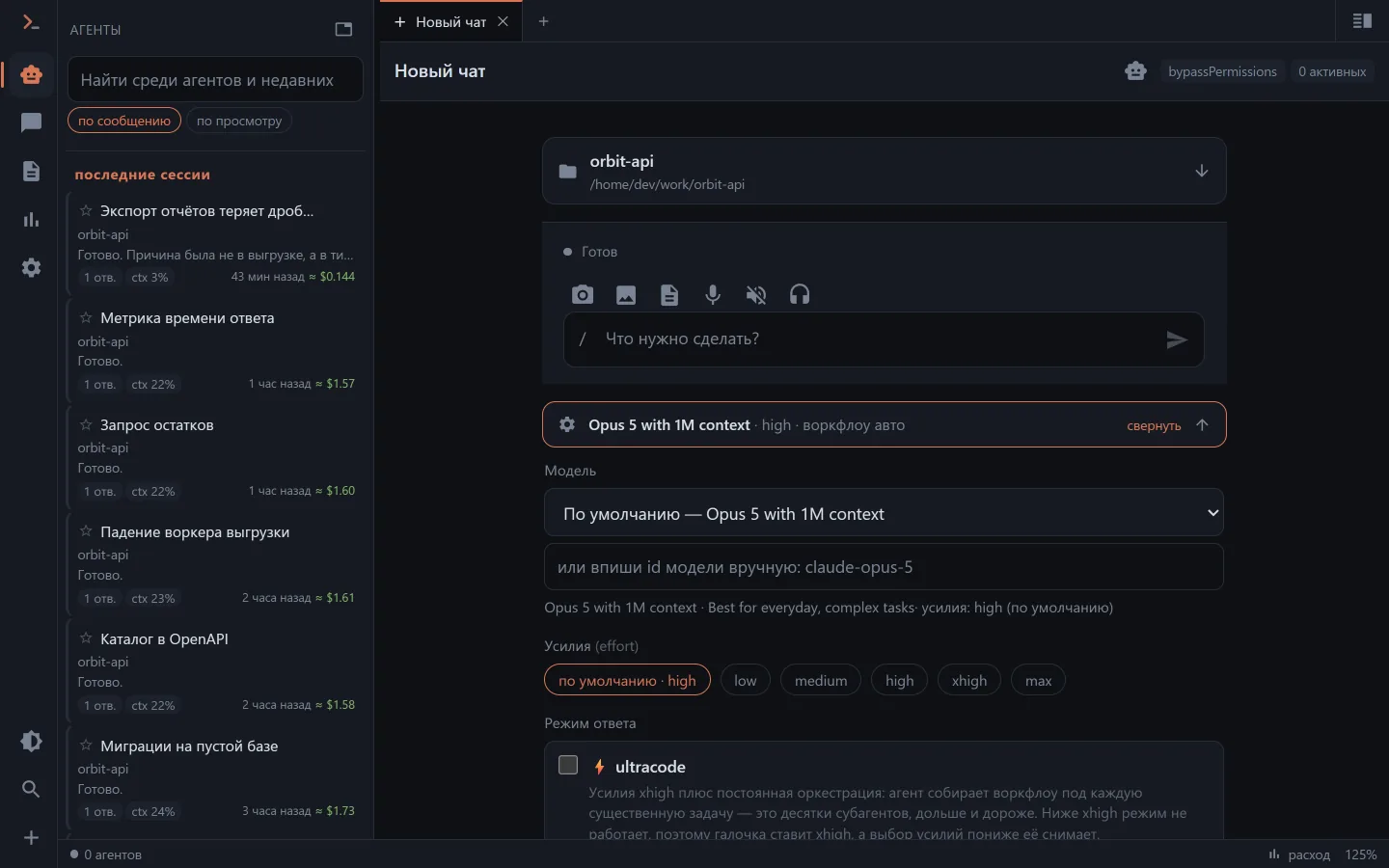
Once you send the first message, an ordinary JSONL appears in ~/.claude/projects/…, and the chat is immediately visible in the common list and in claude --resume in the terminal.
Details about the composer, slash commands and the model's questions — in Chat with the agent.
Signing in to Claude
Sessions are run by claude on the server machine, and you can sign in to it straight from Clauder: the /login command in the composer opens a window with an OAuth link and a field for the code, /logout signs out. This door used to open only next to trouble — an expiring token or a "Not logged in" error.
In the same settings, next to the CLI version, a "newer one is out · Update" line appears: the update runs with a bar and real percentages, not in silence.
Settings: what is where
Settings are laid out in tabs, and the first card is what people usually open them for — the address, the access key and the version.
| Tab | What's inside |
|---|---|
| Connection | address and key, a QR for the phone, the list of servers (home and external), the version |
| Notifications | push toggles, the browser subscription, the plan-limit warning, the bot |
| Agent | default model, permission mode, allowed roots for cwd, the path to claude, addresses for hooks |
| Models | your own model servers — llama.cpp, LM Studio |
| Appearance | theme, interface scale, feed mode, images |
| Application | desktop build only: network access and port, autostart, tray, hotkey, tunnel |
Everything that lives in .env under docker is edited in this window in the app — no need to open the file by hand.
Moving settings to a new client
The theme, interface size, images and notifications — along with titles, favourites and hidden items — travel to a fresh client on its first connection: it offers to take them from the server, either replacing its own or merging. There is a file route too — "Save" and "Load" buttons in the settings.
Favourites, your own titles and "read" marks live on the server anyway, so every client sees them at once.
What next
- Access from outside — how to reach the machine from away.
- Notifications — so you don't have to keep Clauder open.
- Claude Code hooks — to see foreign sessions live and answer their questions.